Axomo Warehousing
Designing a clearer way to store, manage, and clear inventory (Approved, in development queue)
Project overview

*All “user data” on screens is for demonstration purposes only and does not reflect actual users/persons.
Company: Namify / Axomo
Product: Axomo Store Admin web app
Role: UX/UI Designer
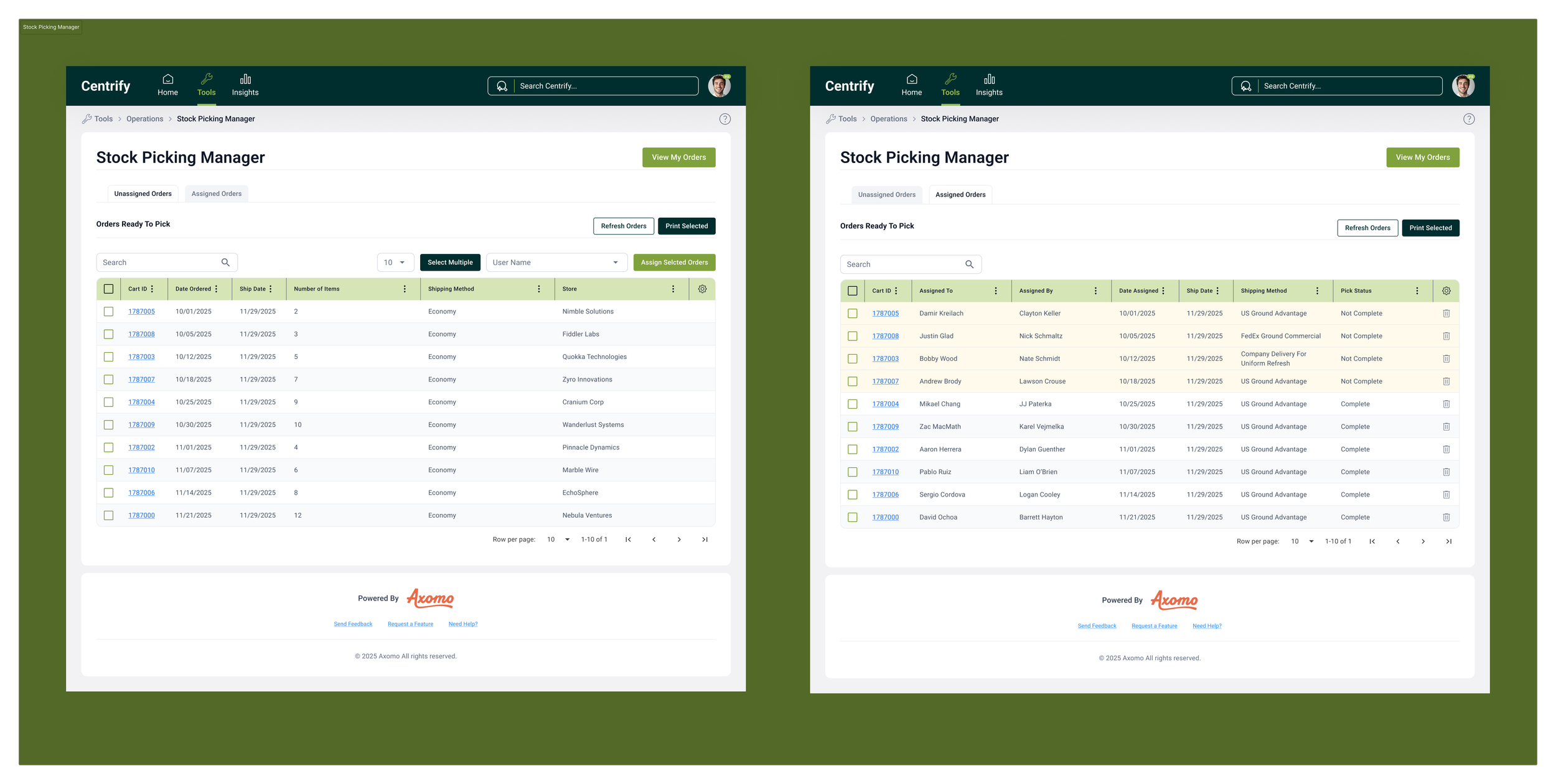
Focus: Warehousing configuration and inventory clearing for Store Admins, with structured handoff to Axomo’s internal fulfillment system (Centrify)
Status: Design approved, queued for development (not yet live)
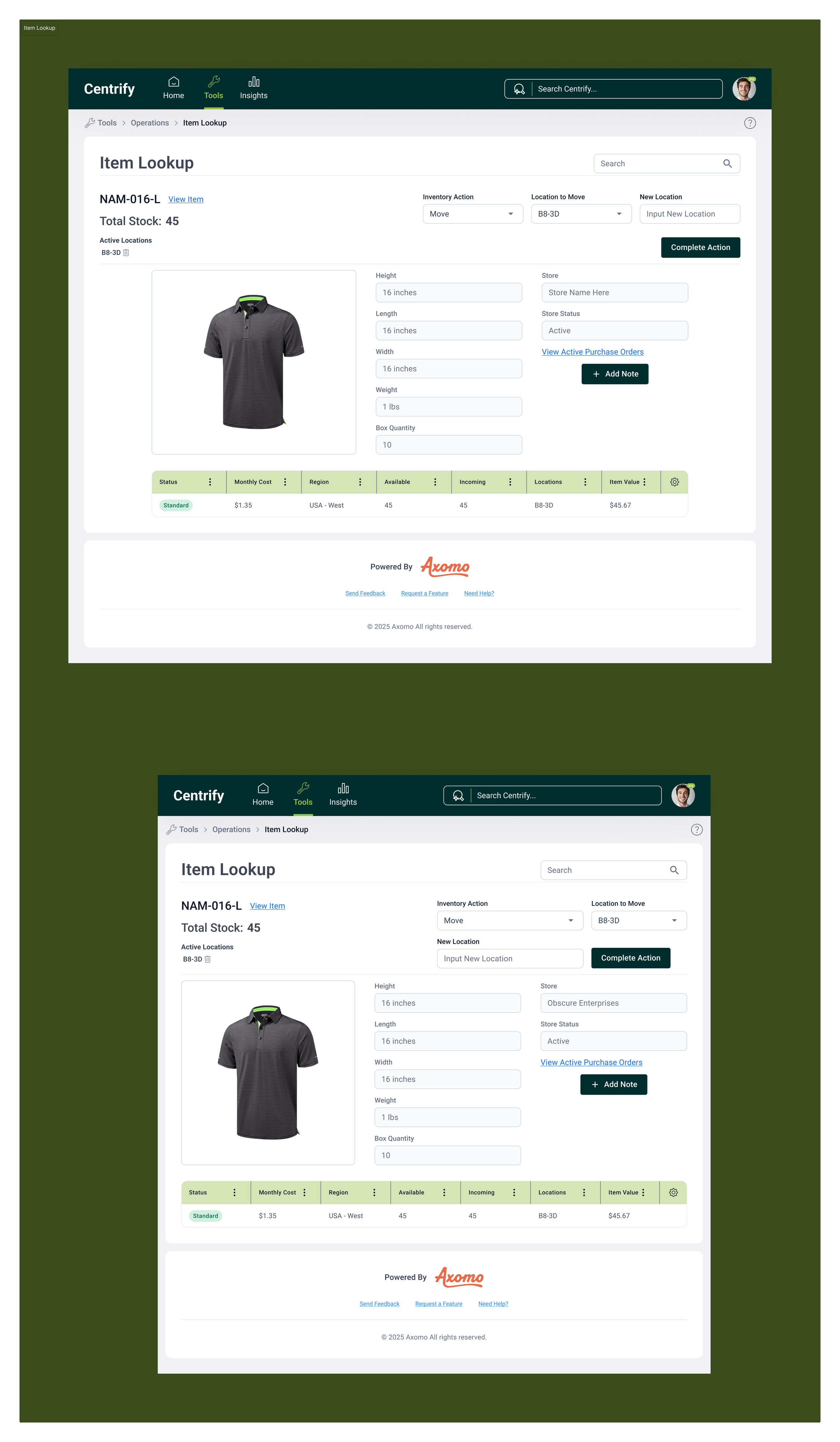
Axomo allows Store Admins to store products in Axomo’s warehouse so orders can be fulfilled faster and inventory can be managed centrally. The existing experience technically supported warehousing, but key actions like enabling warehousing and clearing inventory were unclear, inconsistent, and often required support. I redesigned the end-to-end Store Admin experience for warehousing setup and inventory clearing, and standardized the inputs needed by internal fulfillment teams in Centrify so shipping, donation, and disposal actions could be processed reliably without manual clarification.
At a Glance:
-
Warehousing setup and inventory clearing were fragmented and often required support, while fulfillment teams in Centrify received inconsistent requests that slowed processing and increased error risk.
-
A single Warehousing Settings entry point plus a guided Clear Inventory wizard (Ship to Me, Donate, Dispose, Item-by-item) that standardizes required inputs, clarifies costs and irreversible actions, and produces audit-friendly confirmations.
-
Approved and queued for development, with the goal of reducing support escalations and fulfillment clarification while making warehousing actions safer, clearer, and more self-serve for Store Admins.
Impact snapshot (pre-launch)
Because this work is approved but not yet released, the impact below reflects expected operational improvements based on current-state pain points and fulfillment-team requirements.
Created a single, clearly labeled entry point for warehousing setup, reporting, and inventory clearing
Replaced support-dependent clearance requests with a guided, auditable Clear Inventory flow
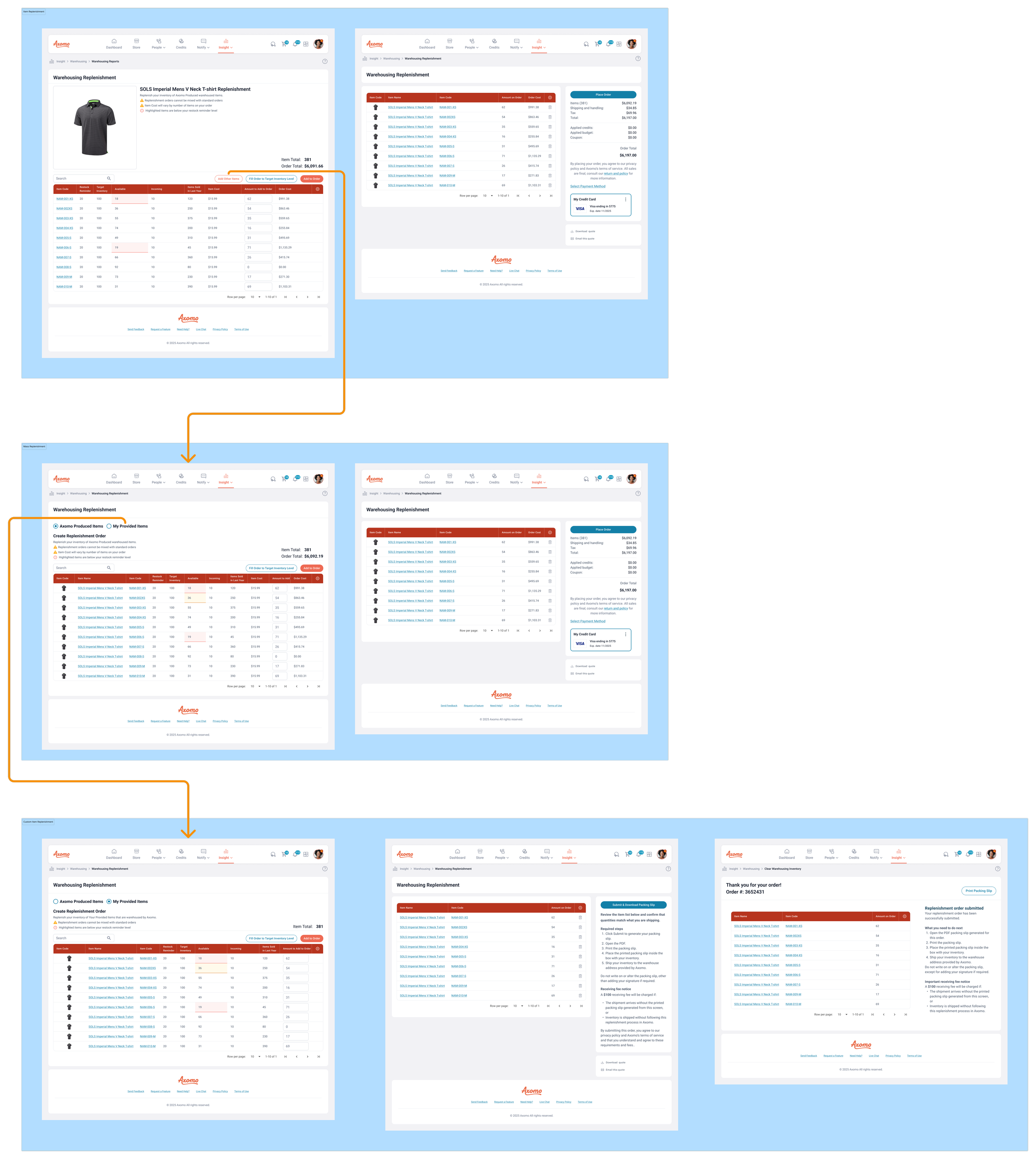
Added inventory level alerts to signal to Store Admins when an item is due for restocking
Standardized clearance methods and required inputs so Centrify receives unambiguous instructions (Ship to Me, Donate, Dispose, Item-by-item)
Reduced risk in irreversible actions through clearer microcopy, validation, and explicit cost and consequence previews
Before
After
The Problem
Design challenge:
Create a single, clear flow that helps Store Admins:
Configure warehousing correctly
Understand financial and operational consequences of warehousing decisions
Clear inventory in a controlled, auditable way
While ensuring internal teams receive structured data that enables reliable fulfillment.

Store Admins could warehouse items, but the experience was fragmented:
It wasn’t obvious how to enable warehousing at the store level or item level
Clearing inventory often required support involvement or back-and-forth with internal teams
Internal warehouse staff had to interpret inconsistent requests, slowing fulfillment and increasing error risk
At the same time, internal users in Centrify needed cleaner, structured inputs so inventory could be shipped, donated, or disposed of without manual follow-up.
Objectives
For Store Admins
Make it easy to enable warehousing and understand what it changes
Provide a safe, guided way to clear inventory without support
Show costs, consequences, and permanence up front
For internal teams (Centrify)
Standardize clearance request types so actions are consistent
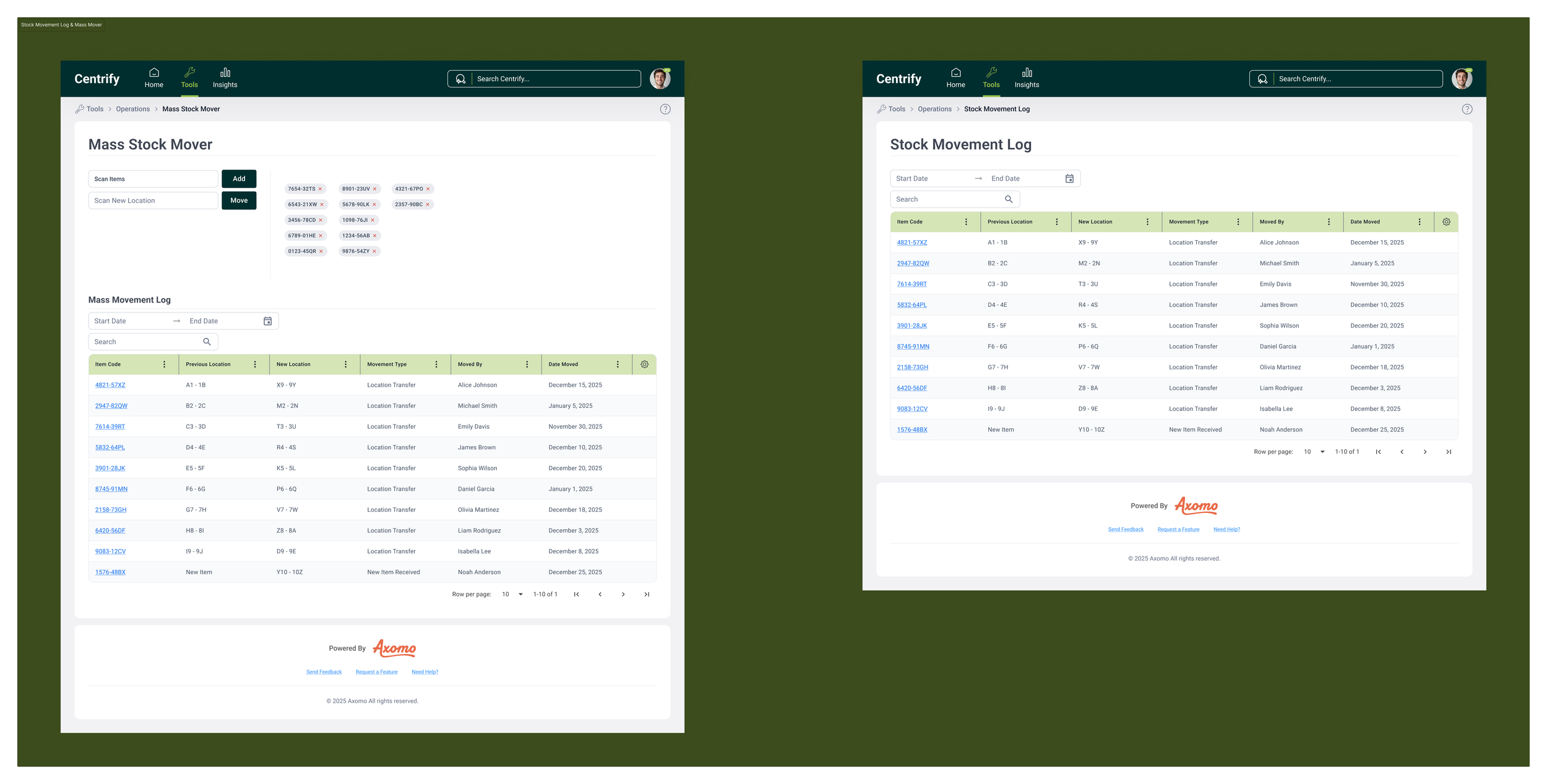
Ensure each action generates the correct records and workflow triggers in Centrify
Reduce one-off requests and manual interpretation
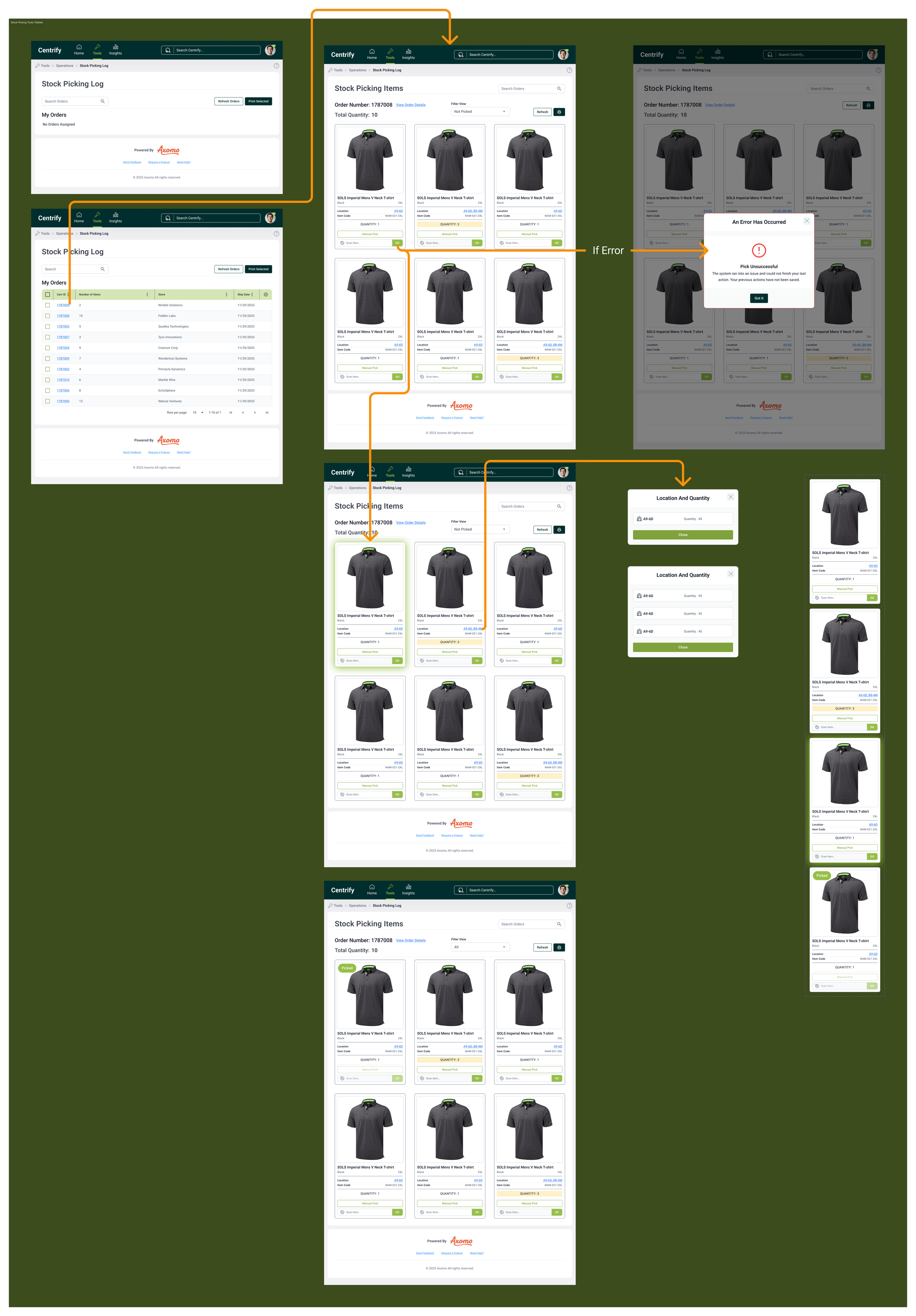
“Secondary (as time allowed): Reduce unnecessary screen-to-screen navigation in Centrify (examples in Figma artifacts).”
My role and responsibilities
Process
Discovery
I started by reviewing existing warehousing functionality and mapping the end-to-end process across Store Admin actions and internal Centrify fulfillment steps. I met with:
Stakeholders familiar with Axomo warehousing
Managers responsible for inventory decisions
Fulfillment stakeholders who process these requests in Centrify
Key findings:
Admins were often unsure whether warehousing was enabled or what it affected
Clearing inventory had no clear standard operating procedure and relied on a representative
Internal teams frequently received vague requests like “get rid of this” or “send it back,” requiring follow-up
These findings defined the core scenarios: enabling warehousing, viewing warehoused stock, and clearing inventory intentionally.
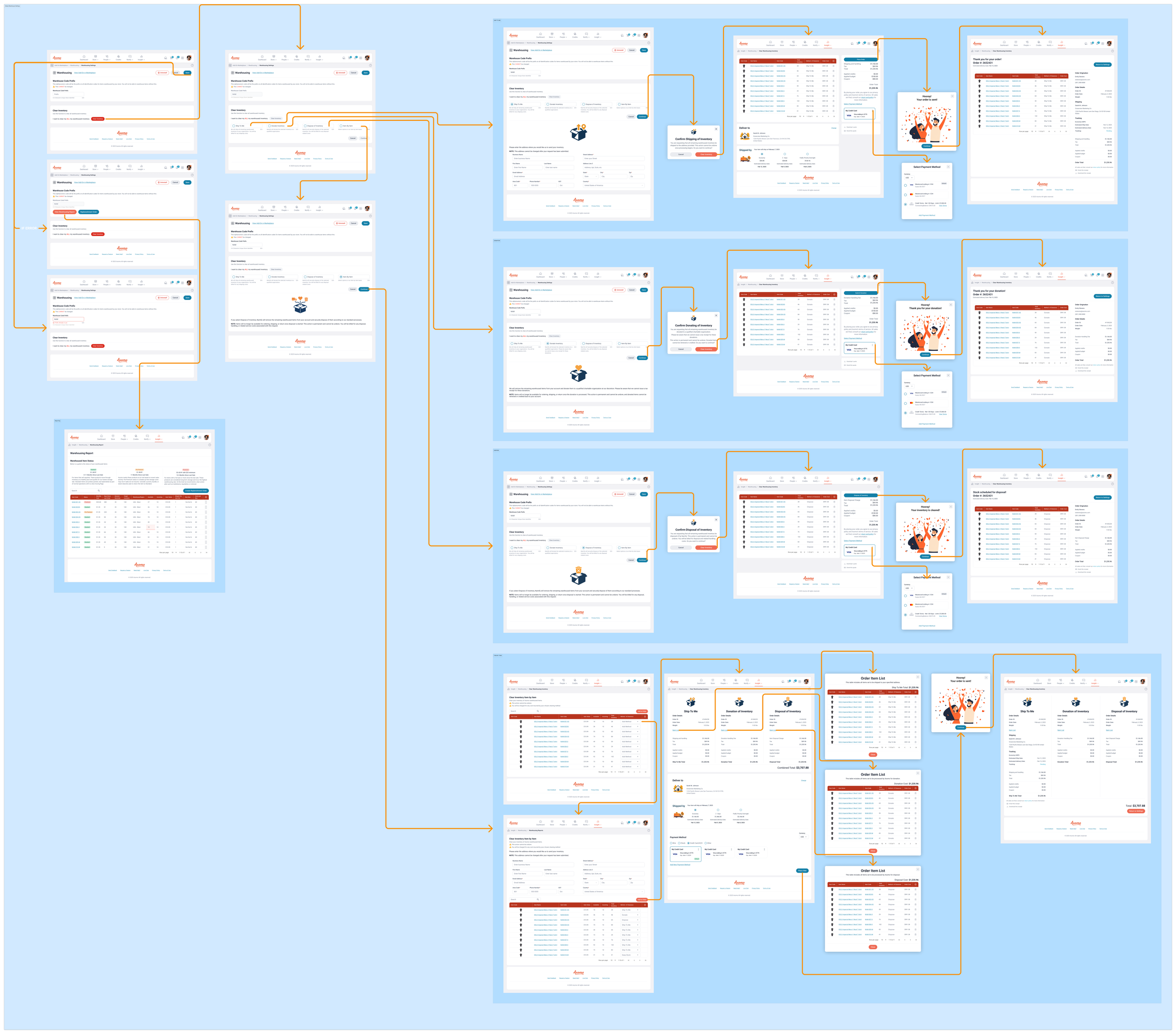
Defining the target journeys

-
Set a unique Warehouse Code Prefix to identify warehoused items
Make the “cannot be changed once used” rule explicit and understandable
-
Clarify when item-level warehousing is available vs blocked by missing global settings
Let admins enable warehousing per SKU with the right inventory context in one place
-
Provide a guided flow that standardizes four clearance methods:
Ship to Me
Donate inventory
Dispose of inventory
Item by item configuration
Communicate permanence and fees before submission
-
Provide itemized tables, totals, tax, and payment method review
Generate confirmation and receipt-style summaries with order IDs for reference
-
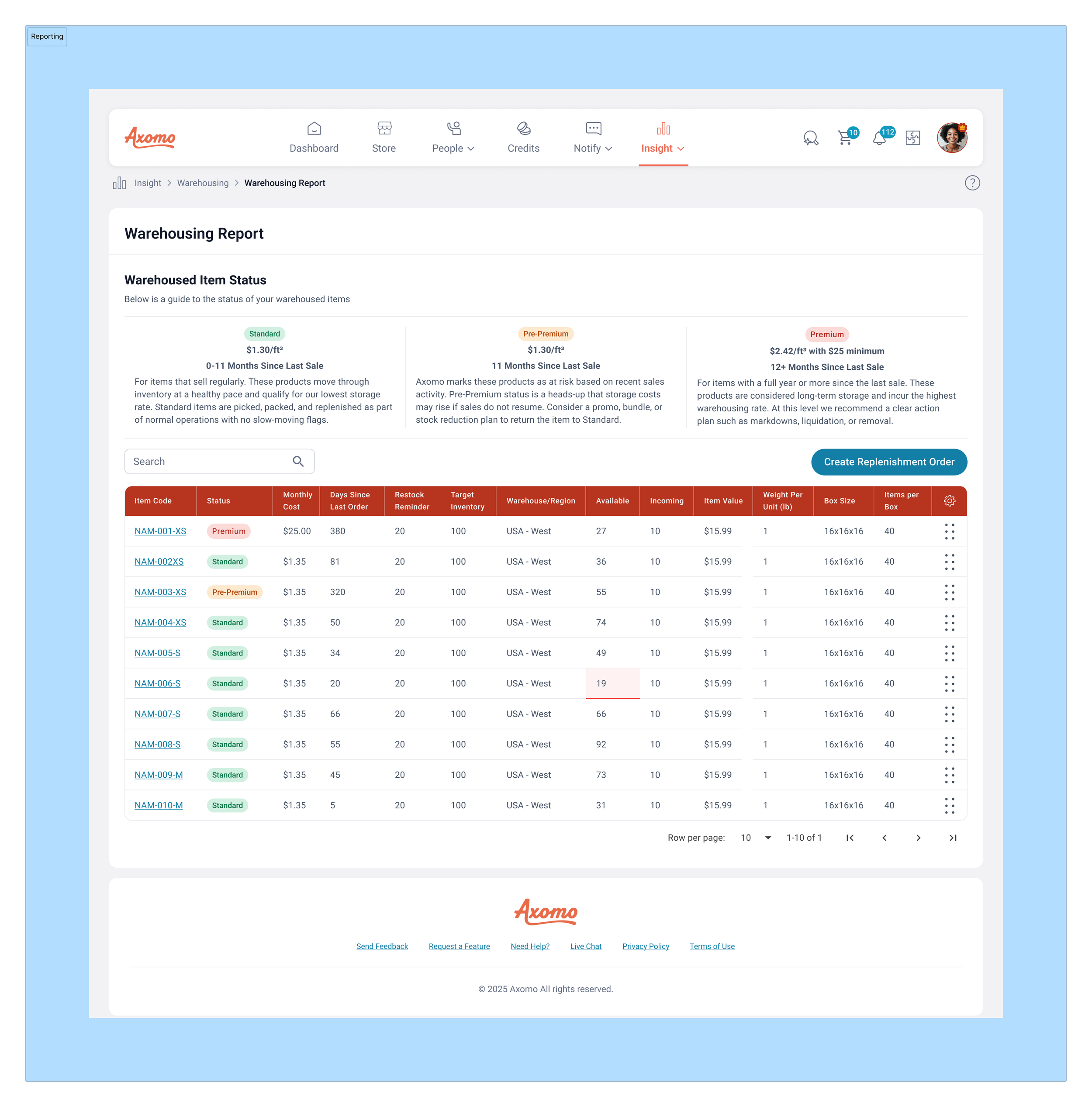
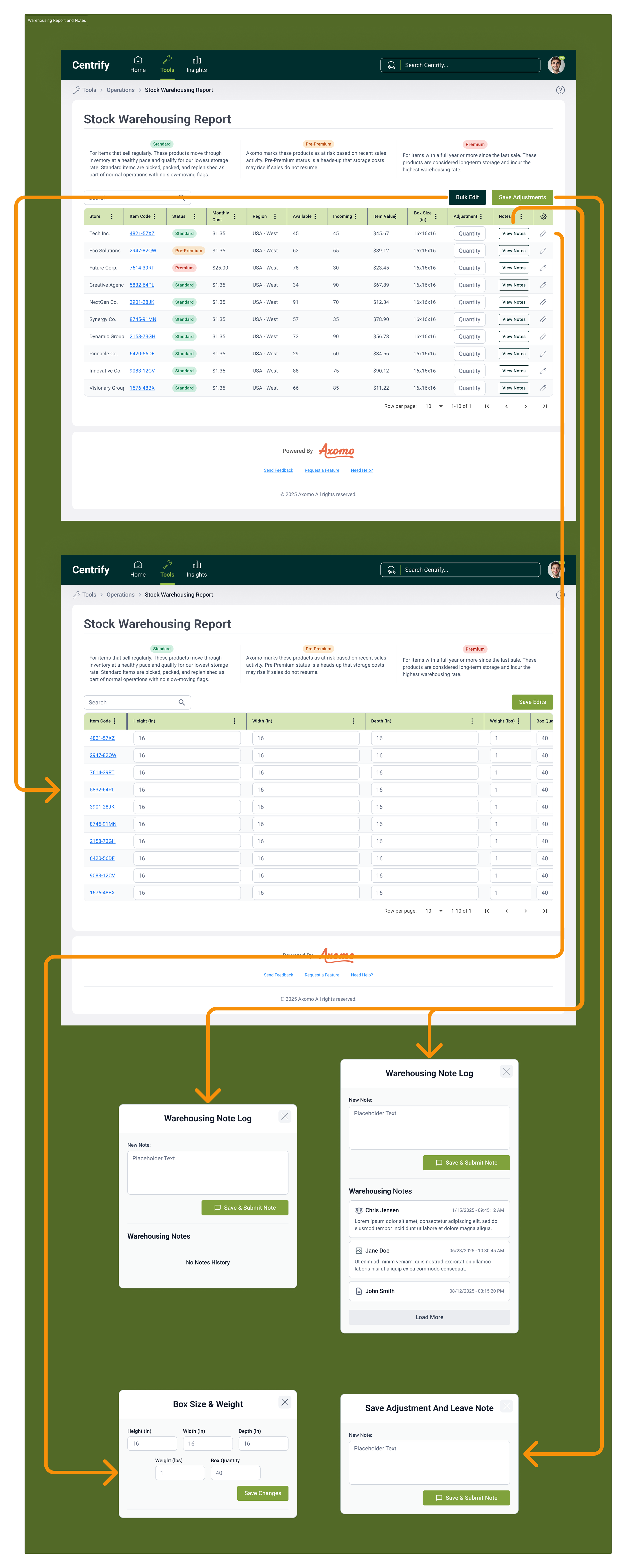
Use a Warehousing Report to surface status labels, monthly costs, target inventory, and reminders
These journeys defined both the Store Admin UI scope and the structured inputs required by Centrify.
Key Decisions and Tradeoffs
-
Options considered:
Single-page form with all options and fields visible
Multi-step wizard that reveals only relevant inputs
Constraints:
Actions are irreversible and may include fees
Each method requires different required fields and different fulfillment records
Admins needed confidence and clarity, not speed through a risky flow
Why we chose it:
A wizard supports progressive disclosure, reduces cognitive overload, and creates a natural “pause” before irreversible submission. It also allows method-specific validation so Centrify receives consistent inputs.Expected result (pre-launch):
Fewer incomplete submissions, fewer support escalations, and clearer internal processing. -
Options considered:
Let admins enable warehousing first, then set prefix later
Require prefix before warehousing can be enabled for items
Constraints:
Prefix is used to identify warehoused items and must remain consistent for operational integrity
Changing it after use would create mismatch and downstream confusion
Why we chose it:
Requiring the prefix up front prevents errors before they exist. Clear microcopy explains why it matters and why it becomes locked after warehousing begins.Expected result (pre-launch):
Cleaner inventory identification and fewer operational exceptions. -
Options considered:
Force one clearance method per request (simpler for ops)
Allow per-SKU methods (flexible for admins, higher complexity)
Constraints:
Admins may have mixed needs across SKUs
Fulfillment still needs standardized instructions per SKU to process reliably
Why we chose it:
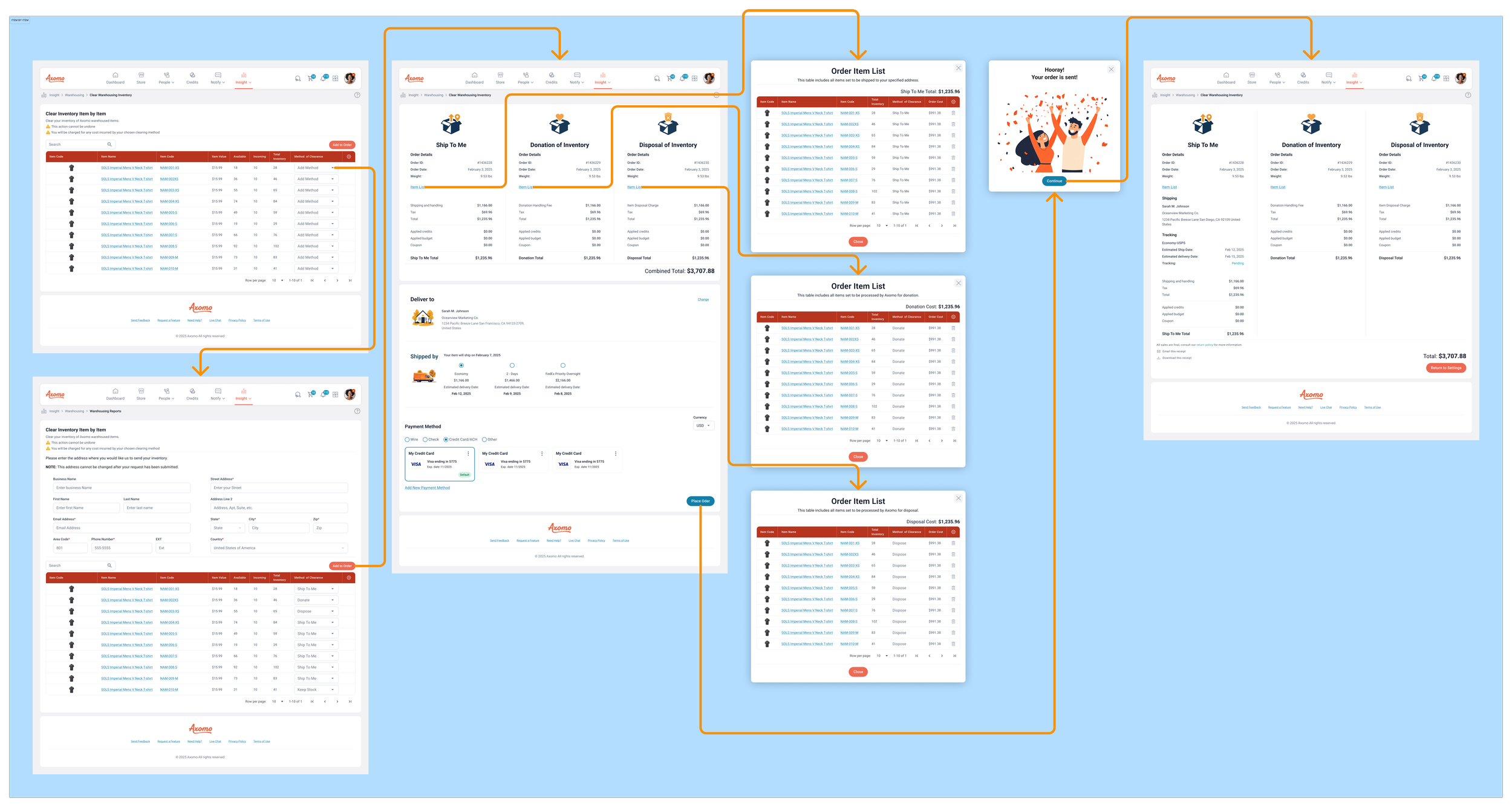
The “Item by Item” table preserves admin flexibility while keeping each SKU’s clearance method explicit and structured. A summary rollup shows totals and value by method to keep the decision comprehensible.Expected result (pre-launch):
Less manual coordination for mixed-clearance requests and fewer ambiguous tickets.
Click to Expand
Design Solutions
-
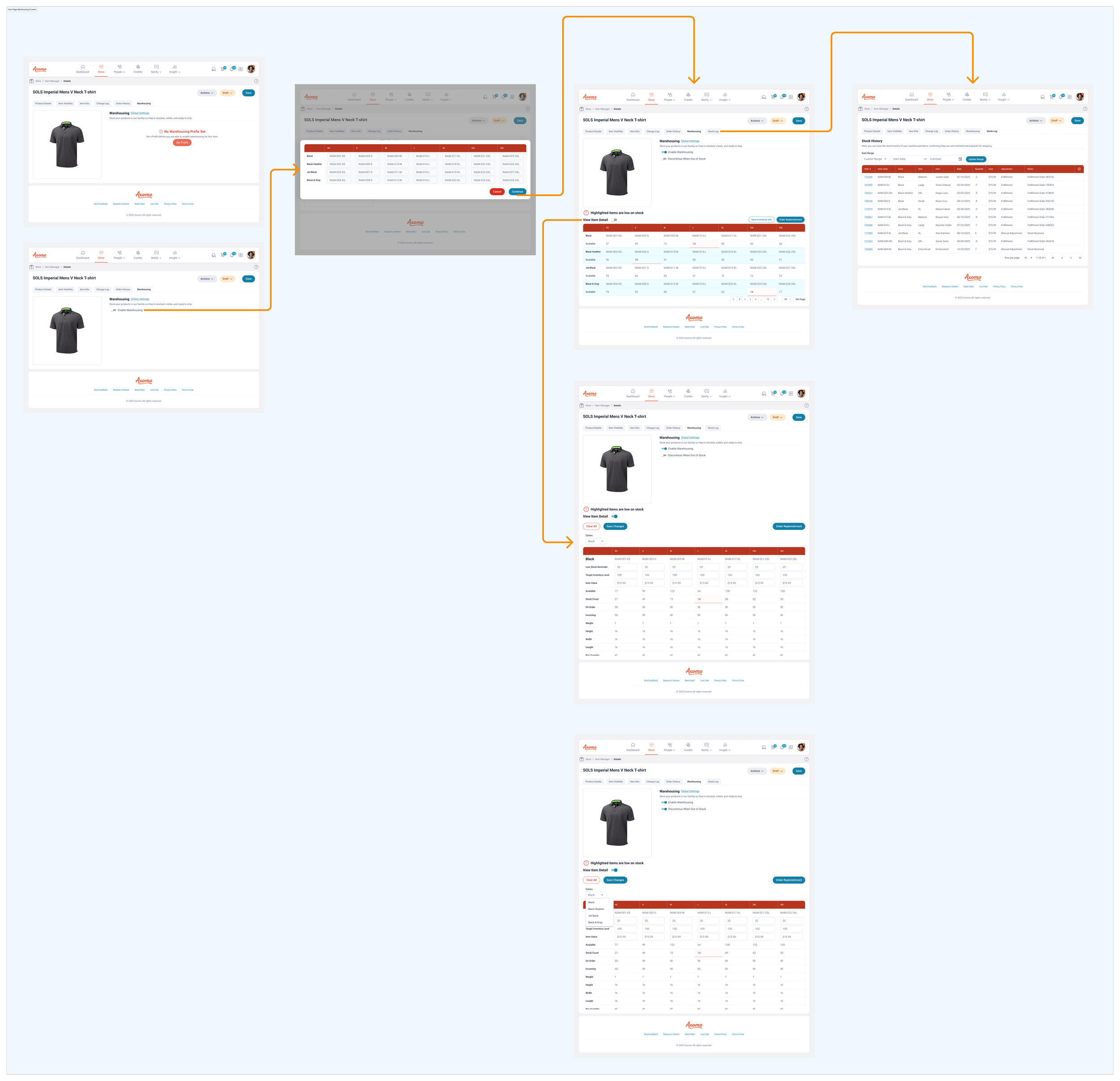
I designed a dedicated Warehousing Settings page that:
Surfaces the Warehouse Code Prefix as the first required step
Explains why the prefix matters and why it becomes locked after use
Centralizes key actions like Clear Inventory and links to reporting so admins always know where to start
I also updated the Warehousing add-on card in the marketplace with clearer messaging about what warehousing is, who it’s for, and how it fits into Axomo.
-
On item manager screens, I integrated warehousing controls alongside existing inventory fields:
A clear “Enable Warehousing” control appears once the global prefix is set
For each variant, admins can see relevant inventory context:
Available and incoming quantities
Box size and items per box
Item value, target inventory, and low stock reminders
This keeps decisions grounded in per-item reality, not abstract settings.
-
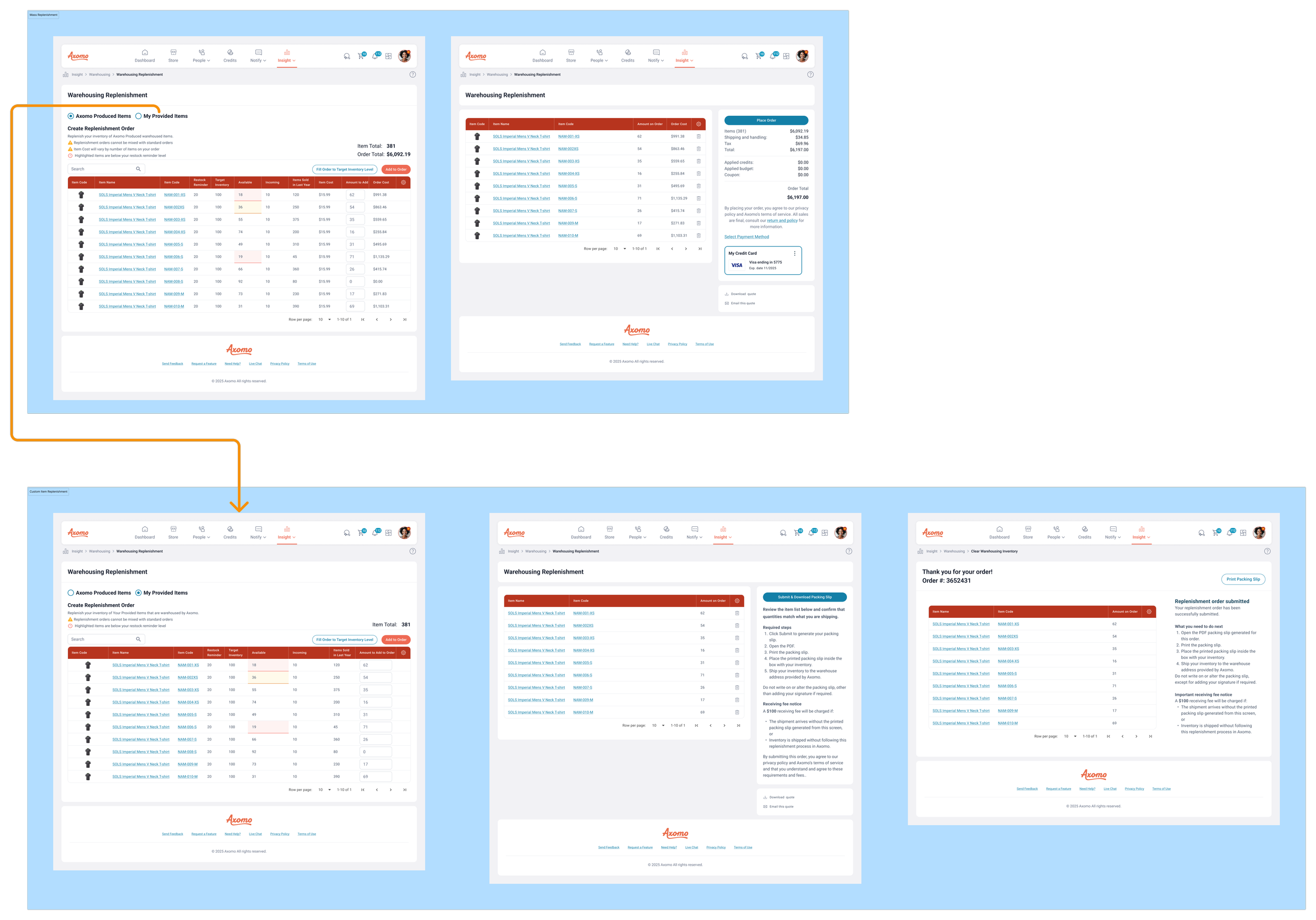
The Clear Inventory flow is structured as a wizard:
Choose clearance method
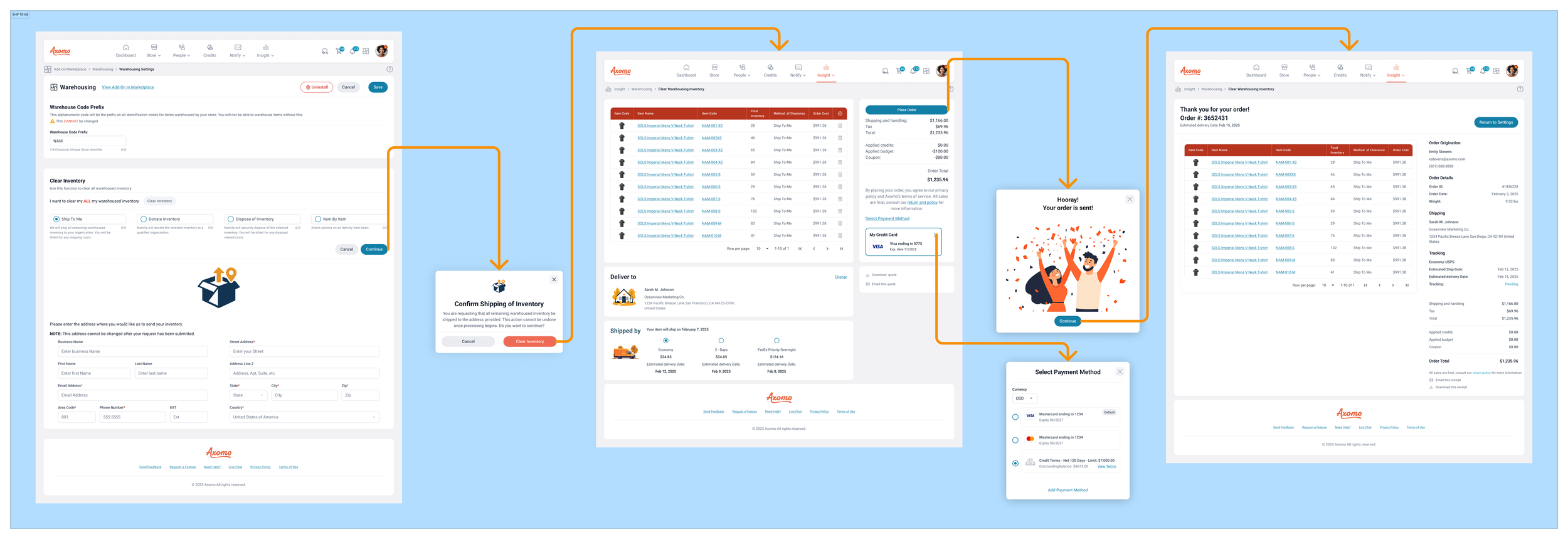
Ship to Me
Donate Inventory
Dispose of Inventory
Item by Item
Method-specific guidance
Short descriptions help admins choose confidently
Microcopy calls out permanence and fees early, not at the end
Optional Item-by-item configuration
Assign different methods per SKU in a single table
Summary shows item count and total value by method
Address, billing, and confirmation
Ship to Me includes address entry and a clear “locked after submit” note
Donation and disposal clarify that items will no longer be available for ordering or return
Order review includes itemized tables, totals, tax, credits/budgets, and payment method
Confirmation reinforces permanence and provides order IDs for future reference
-
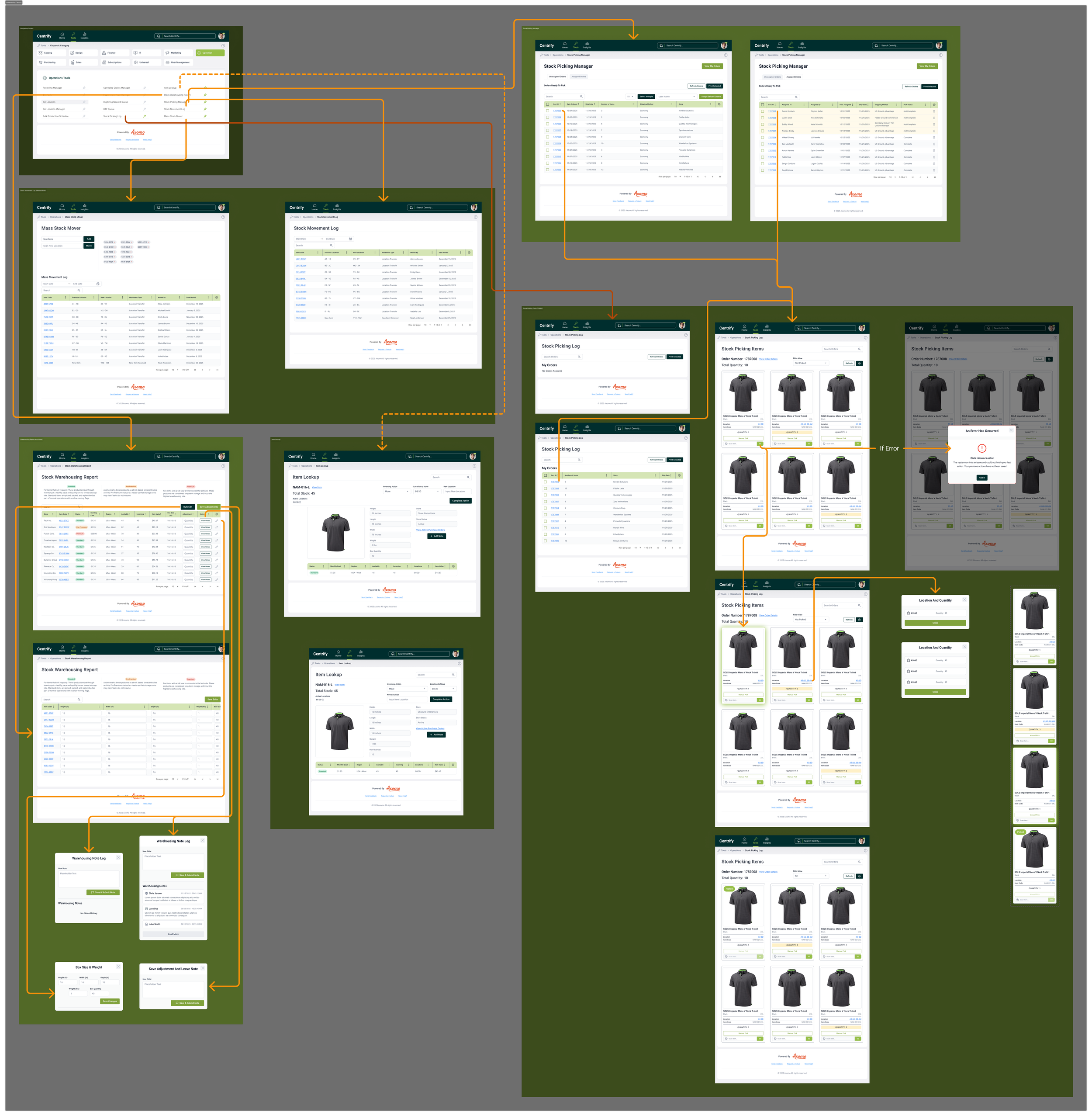
Throughout design, I worked with fulfillment stakeholders to define:
Required fields per clearance method
How orders are grouped and processed
Expected error states and edge cases to guard against
This ensured the Store Admin UI collects exactly what internal teams need and passes structured, standardized instructions into Centrify.
-
Because these actions can be irreversible, the UI explicitly manages risk through:
Clear “locked after submit” notes where changes cannot be made
Fee and consequence previews before confirmation
Validation and required-field enforcement tailored to each clearance method
Receipt-style confirmations with order IDs for auditability and follow-up
Outcomes (approved, not yet live)
This work produced:
A single entry point for warehousing configuration, reporting, and clearing inventory
A guided Clear Inventory flow that reduces ambiguity and increases safety for irreversible actions
Standardized clearance methods and required inputs designed to reduce manual interpretation in fulfillment
A Store Admin experience designed to better match real operational workflows inside Centrify


What I’d measure after launch
Once released, I’d validate success using:
Volume of support tickets related to enabling warehousing and clearing inventory
Completion rate and time-to-complete for the Clear Inventory flow
Fulfillment clarification rate (how often internal teams need follow-up)
Error rate on submissions (missing fields, invalid states, cancellations)
Admin confidence feedback during follow-up interviews
Reflection
This project reinforced how much operational UX depends on clear constraints, standardized data, and thoughtful risk design. By pairing a guided front-end experience with a structured back-end handoff, the goal was to make warehousing feel simple for Store Admins while reducing friction and uncertainty for internal fulfillment teams.

Figma Artifacts